Controllers
Controllers in ASP.NET MVC
In ASP.NET MVC, a Controller is an important component that handles user requests and controls the flow of the application.
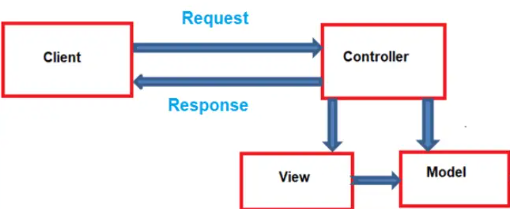
When a user sends a request from the browser, it is first received by the Controller. The Controller then decides what action to perform and which view should be displayed.
What is a Controller?
A Controller is a C# class that contains methods called Actions. These actions respond to user requests and return a response, usually in the form of a View.
In simple words, the Controller works as a middleman between the user (client) and the application logic.
How Controller Works (Simple Flow)
- User sends a request from the browser.
- The request reaches the Controller.
- The Controller processes the request.
- The Controller returns a View as a response.
Uses of Controller
- Handles user requests.
- Processes application logic.
- Connects Model and View.
- Controls which View should be displayed.
 Adding Controller to the Project:
To add a controller to your project, follow the steps below:
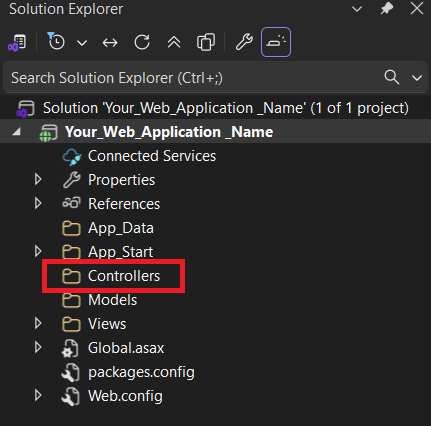
1. Right-click on the “Controllers” folder.
2. Click Add
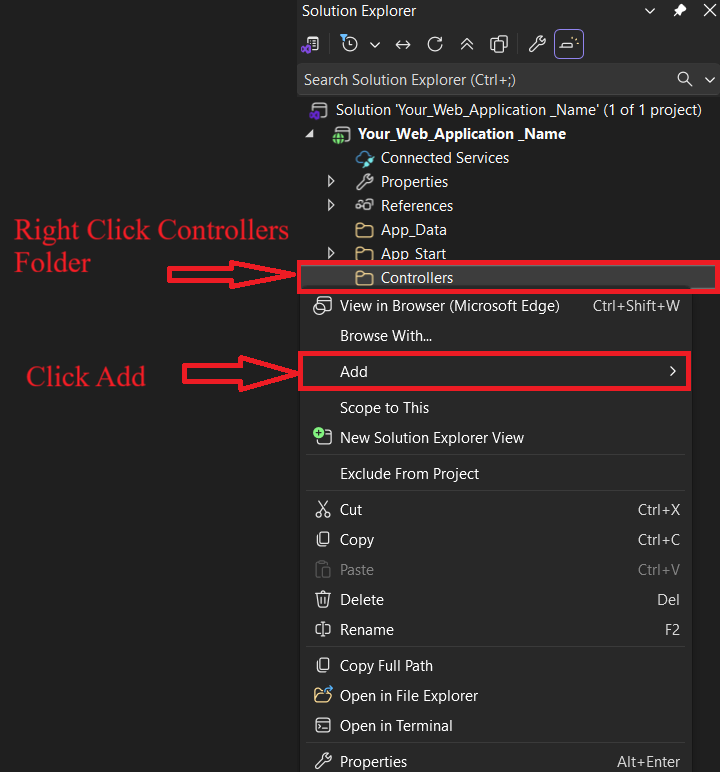
Click Controller
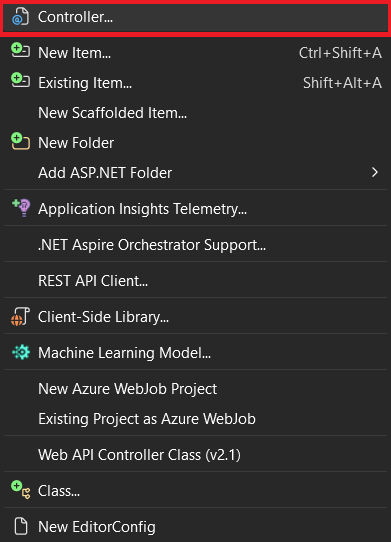
Select MVC 5 Controller - Empty And Click Add Button
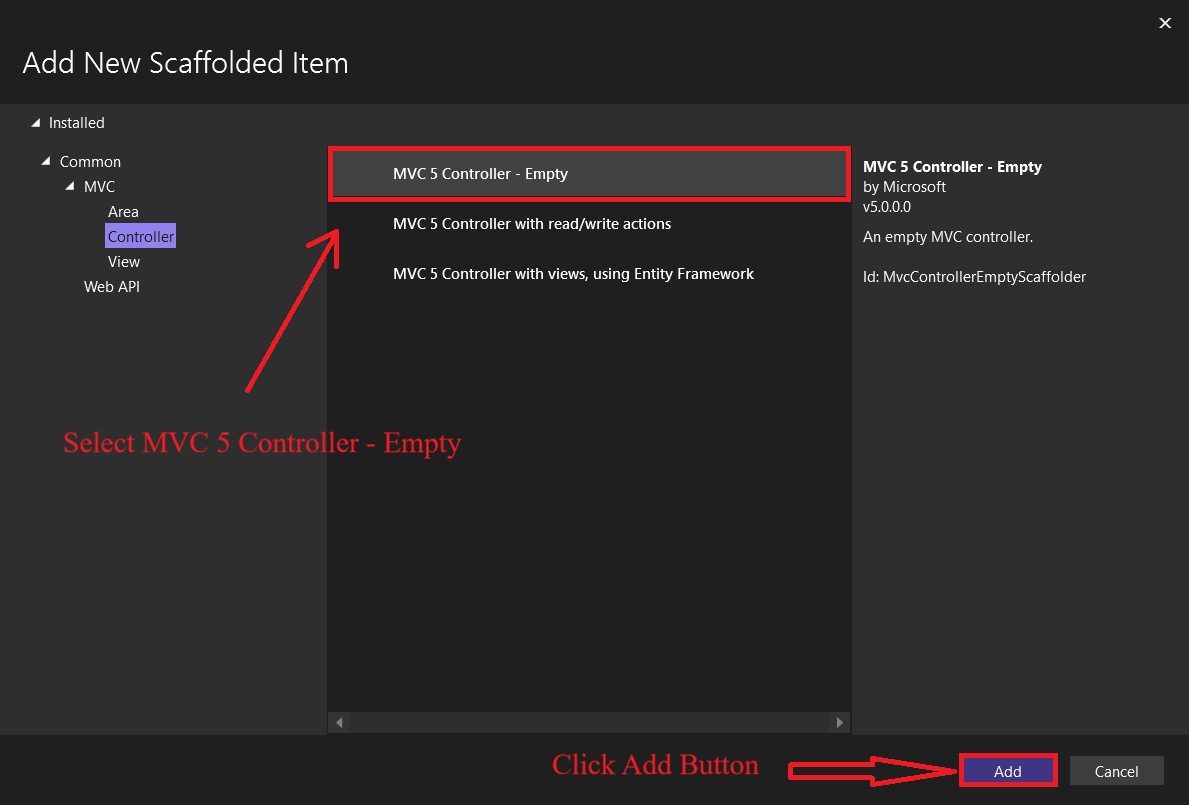
After clicking the Add button, a new window will open.
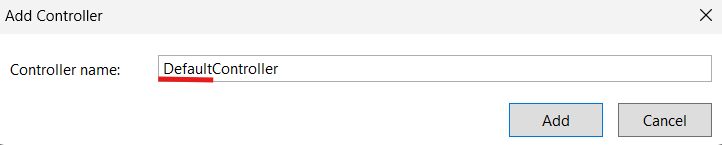
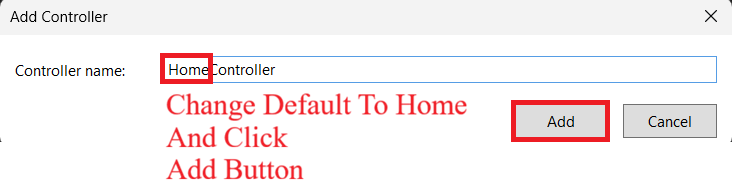
- In the opened window, change the default controller name to Home.
- After changing the name, click the Add button to create the controller.
When the controller is created for the first time, default code is generated automatically.
using System.Collections.Generic;
using System.Linq;
using System.Web;
using System.Web.Mvc;

namespace Your_Project_Name.Controllers
{
    public class HomeController : Controller
    {
        // GET: Home
        public ActionResult Index()
        {
            return View();
        }
    }
}
When the application is run for the first time, this screen appears.
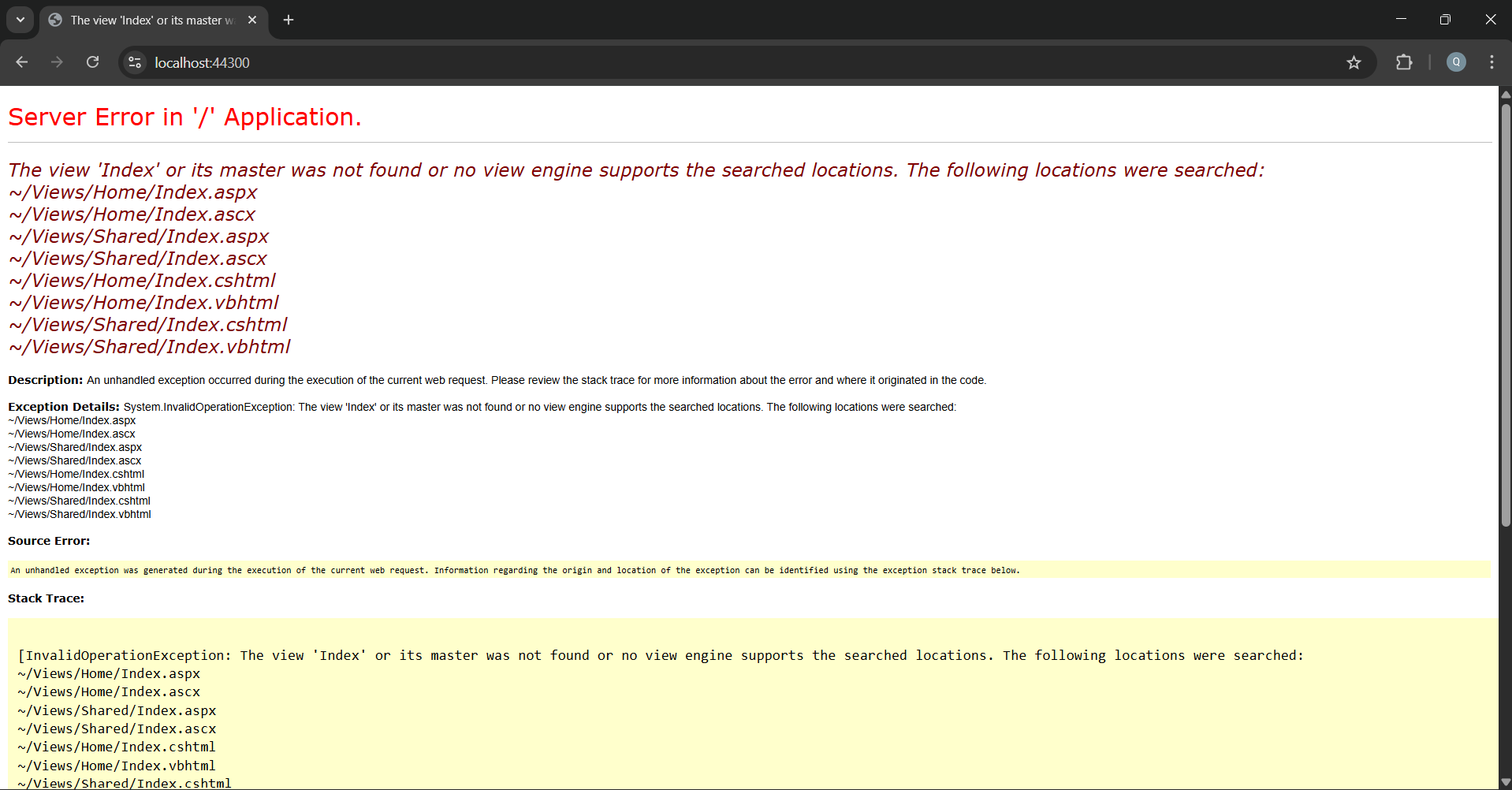
Note: This program is written only to explain the code using comments.
// ===== Required namespaces (libraries) =====
using System;
using System.Collections.Generic;
using System.Linq;
using System.Web;
using System.Web.Mvc;

// ===== Project namespace =====
namespace Your_Project_Name.Controllers
{
    // ===== Controller class =====
    // This controller handles browser requests
    public class HomeController : Controller
    {
        // GET: Home
        // URL example: /Home/Index
        // This action is called from the browser
        public ActionResult Index()
        {
            // View() means:
            // Open Views/Home/Index.cshtml file
            return View();
        }
    }
}