RadioButton HTML Helper in ASP.NET MVC
What is RadioButton Helper?
RadioButton Helper is used to create radio buttons in Razor View.
Radio buttons allow user to select only one option from multiple choices.
1️⃣ Basic Example
@Html.RadioButton("Gender", "Male") Male

@Html.RadioButton("Gender", "Female") Female
 Male
 Female
👉 Same name = only one option can be selected.
2️⃣ Real Life Example
Registration Form – Select Gender
@Html.RadioButton("Gender", "Male") Male

@Html.RadioButton("Gender", "Female") Female
string gender = Request["Gender"];✔ Selected value goes to controller.
3️⃣ Set Default Selected
@Html.RadioButton("Gender", "Male", true) Male

@Html.RadioButton("Gender", "Female") Female
4️⃣ Strongly Typed (Best Practice)
@Html.RadioButtonFor(m => m.Gender, "Male") Male

@Html.RadioButtonFor(m => m.Gender, "Female") Female
Simple Summary
✔ Used to select one option ✔ Same name = single selection ✔ Sends selected value to controller ✔ RadioButtonFor is better for real appsExample
In our first example, we will start by creating a class inside the Models folder.
Go to the Models folder 📁.
Right-click on Models → Select Add → Class.
Name the class Department.cs and click Add.
using System;
using System.Collections.Generic;
using System.Linq;
using System.Web;

namespace Your_Project_Name.Models
{
    public class Department
    {
        public int Id { get; set; }

        public string Name { get; set; }
    }
}
we will start by creating a class inside the Models folder.
Go to the Models folder 📁.
Right-click on Models → Select Add → Class.
Name the class Company.cs and click Add.
using System;
using System.Collections.Generic;
using System.Linq;
using System.Web;

namespace Your_Project_Name.Models
{
    public class Company
    {
        public string SelectedDepartment { get; set; }

        public List<Department> Departments
        {
            get
            {
                List<Department> ListDepartments =
                    new List<Department>()
                {
                    new Department() { Id = 1, Name = "IT" },
                    new Department() { Id = 2, Name = "HR" },
                    new Department() { Id = 3, Name = "Manager" },
                };

                return ListDepartments;
            }
        }
    }
}
Create Home Controller
Go to the Controllers folder 📁, right-click on it, and select Add → Controller.
Choose MVC 5 Controller – Empty and click Add.
Name the controller HomeController and click Add.
After creating the controller, open HomeController.cs .
using System;
using System.Collections.Generic;
using System.Linq;
using System.Web;
using System.Web.Mvc;
using Your_Project_Name.Models;

namespace Your_Project_Name.Controllers
{
    public class HomeController : Controller
    {
        [HttpGet]
        public ActionResult Index()
        {
            Company company = new Company();
            return View(company);
        }

        [HttpPost]
        public string Index(Company company)
        {
            if (string.IsNullOrEmpty(company.SelectedDepartment))
            {
                return "You did not select any department";
            }
            else
            {
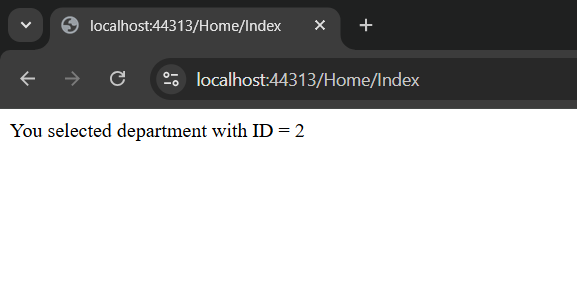
                return "You selected department with ID = " + company.SelectedDepartment;
            }
        }
    }
}
Create Index View
Now open HomeController.
Right-click on the Index action method → Select Add View.
Choose MVC 5 View.
Configure the Add View options:
- View Name: Index
- Template: Empty (without model)
- Model Class:
@model Your_Project_Name.Models.Company

@{
    ViewBag.Title = "Index";
}

<h2>Index</h2>

@using (Html.BeginForm())
{
    foreach (var department in Model.Departments)
    {
        @Html.RadioButtonFor( m => m.SelectedDepartment, department.Id)
        @department.Name
    }

    <br />
    <br />

    <input type="submit" value="Submit"/>
}
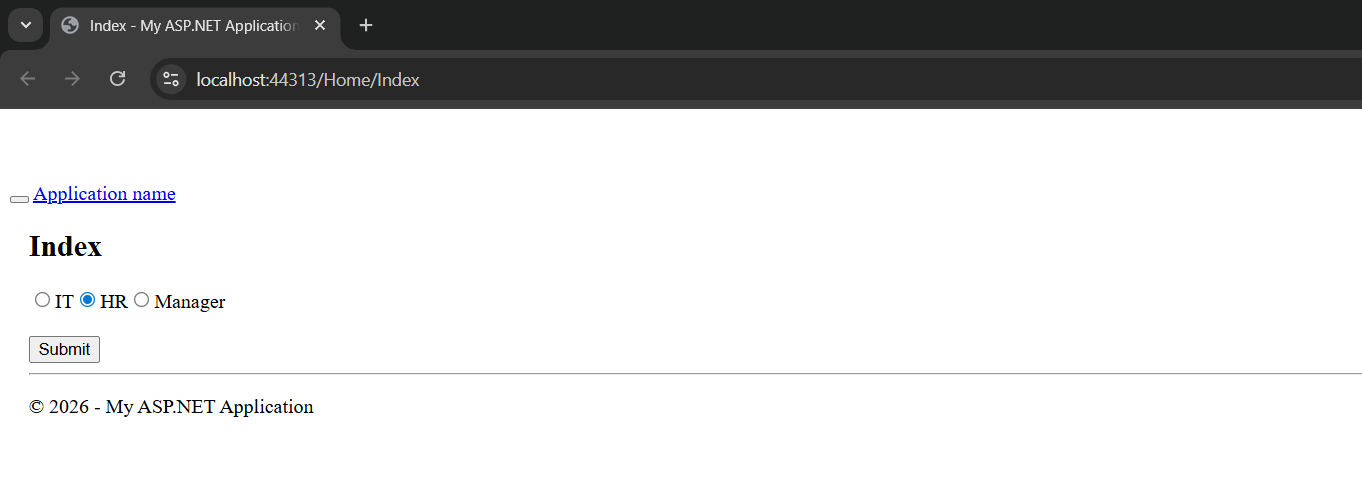
Output
Application URL
https://localhost:44313/Home/Index