Modifying the Models
using System;
using System.Collections.Generic;
using System.Linq;
using System.Web;

namespace Your_WebApplication_Name.Models
{
    public class Student
    {
    }
}
Passing Model Data from Controller
Inside the Models folder, right-click and select Add → Class. Create a new class file named Student.cs .
This class defines the student properties (such as Name, Address, etc.) and represents the structure of student data used in the application.
using System;
using System.Collections.Generic;
using System.Linq;
using System.Web;

namespace Your_Web_Application__Name.Models
{
    public class Student
    {
        public int StudentId { get; set; }

        public string Name { get; set; }

        public string Address { get; set; }

        public string Course { get; set; }

        public int Fees { get; set; }
    }
}
Go to the Controllers folder, right-click on it, and select Add → Controller.
Choose MVC 5 Controller – Empty, then name it HomeController and click Add.
After adding, the file HomeController.cs will be created with a default Index action method.
The HomeController handles user requests and connects the Model with the View.
The code for the HomeController is given below:
using System;
using System.Collections.Generic;
using System.Linq;
using System.Web;
using System.Web.Mvc;
using Your_Web_Application__Name.Models;

namespace Your_Web_Application__Name.Controllers
{
    public class HomeController : Controller
    {
        // GET: Home
        public ActionResult Index()
        {
            Student stu = new Student()
            {
                StudentId = 101,
                Name = "AIT",
                Course = "DFD",
                Fees = 45000,
                Address = "Aurangabad"
            };

            return View(stu);
        }
    }
}
Now, right-click on HomeController and select Add View.
This will create the Index view inside the Views → Home folder. The code for that View is given below:
@model Your_Web_Application__Name.Models.Student

<div>
    <h4>Student</h4>
    <hr />

    <dl class="dl-horizontal">

        <dt>
            @Html.DisplayNameFor(model => model.Name)
        </dt>

        <dd>
            @Html.DisplayFor(model => model.Name)
        </dd>

        <dt>
            @Html.DisplayNameFor(model => model.Address)
        </dt>

        <dd>
            @Html.DisplayFor(model => model.Address)
        </dd>

        <dt>
            @Html.DisplayNameFor(model => model.Course)
        </dt>

        <dd>
            @Html.DisplayFor(model => model.Course)
        </dd>

        <dt>
            @Html.DisplayNameFor(model => model.Fees)
        </dt>

        <dd>
            @Html.DisplayFor(model => model.Fees)
        </dd>

    </dl>
</div>
Output
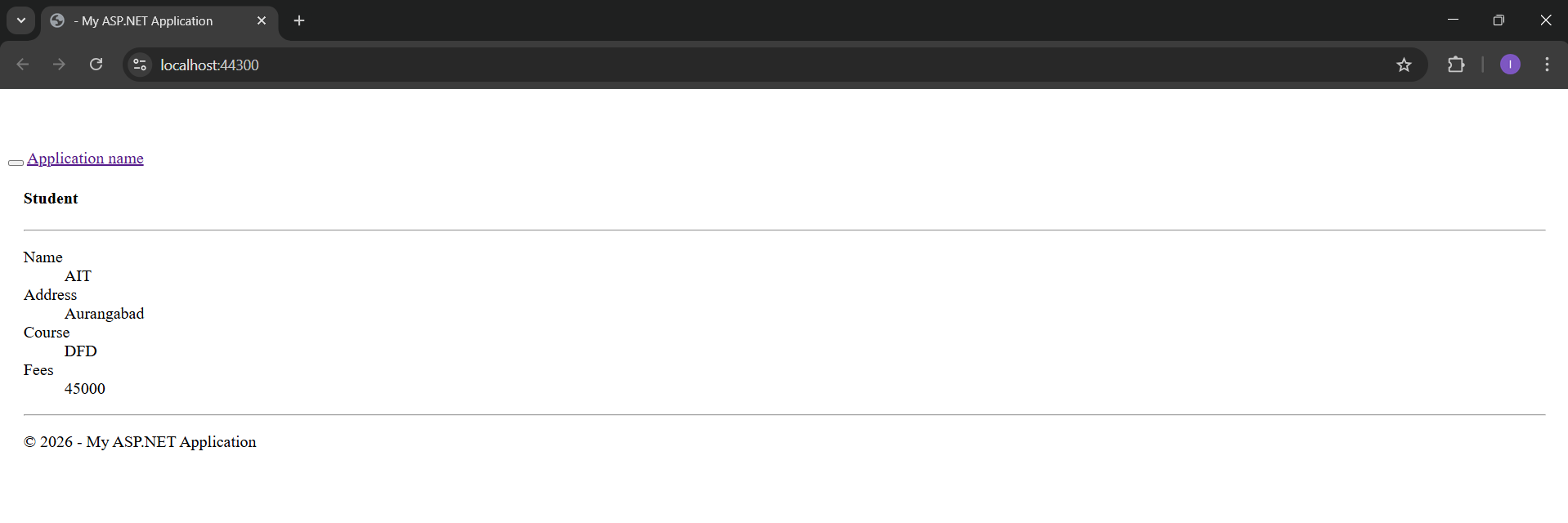
Application URL
https://localhost:44300/Home/Index