Create A Models in ASP.NET MVC
Models in ASP.NET MVC
In ASP.NET MVC, a Model represents the application data and business logic.
The Model is responsible for managing data, applying validation, and communicating with the database.
What is a Model?
A Model is a C# class that contains properties and sometimes validation rules.
In simple terms, a Model stores data and defines the rules for that data in the application.
Create a Model in ASP.NET MVC – Steps
Step 1:
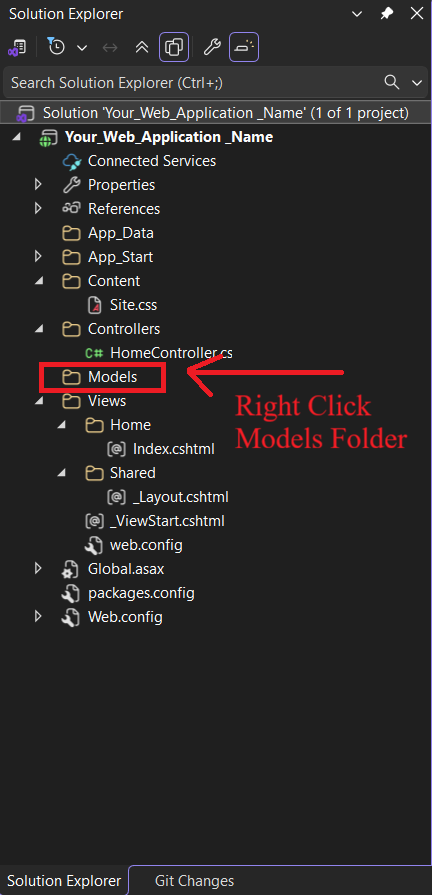
Right-click on the Models folder.
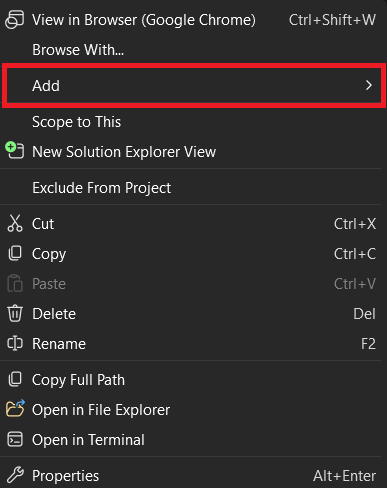
Click Add.
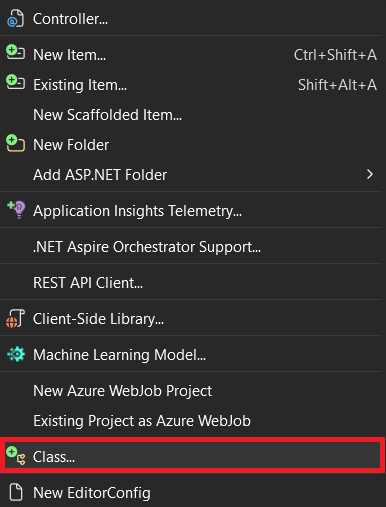
Click Class.
Select C# Template.
Click Class
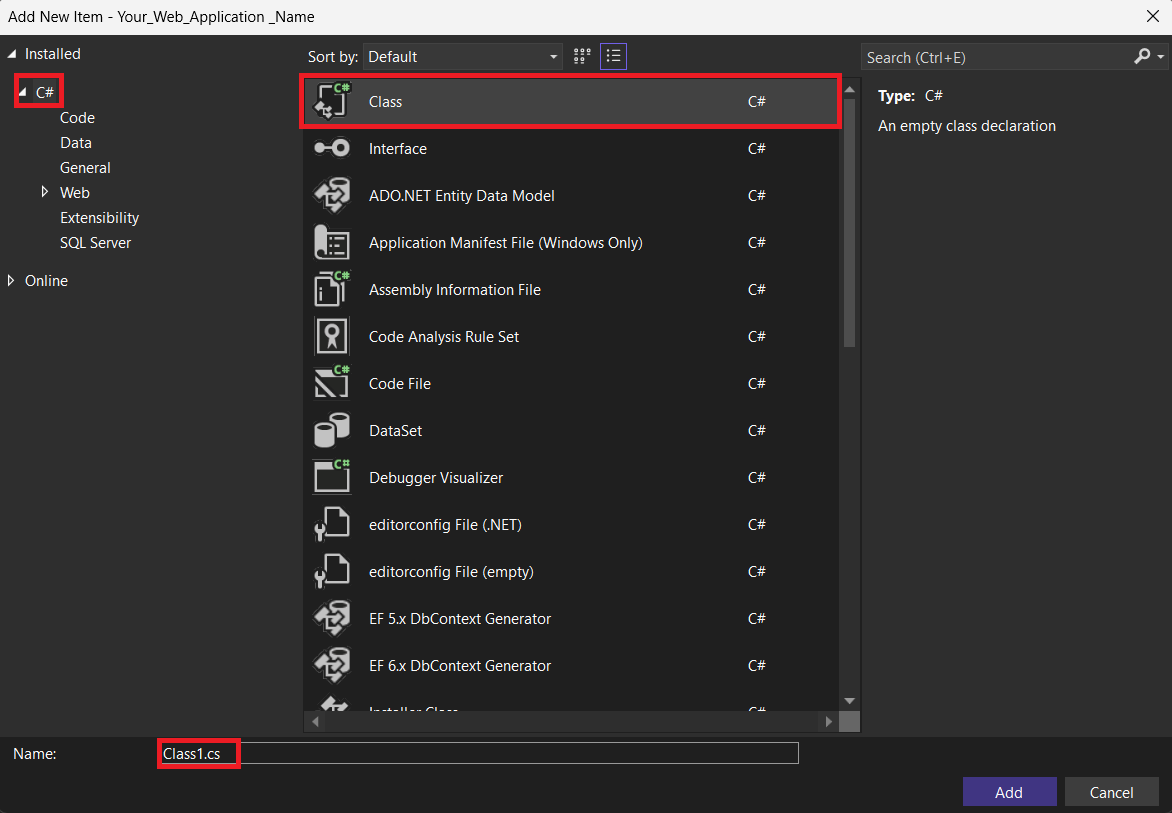
Change Class Name
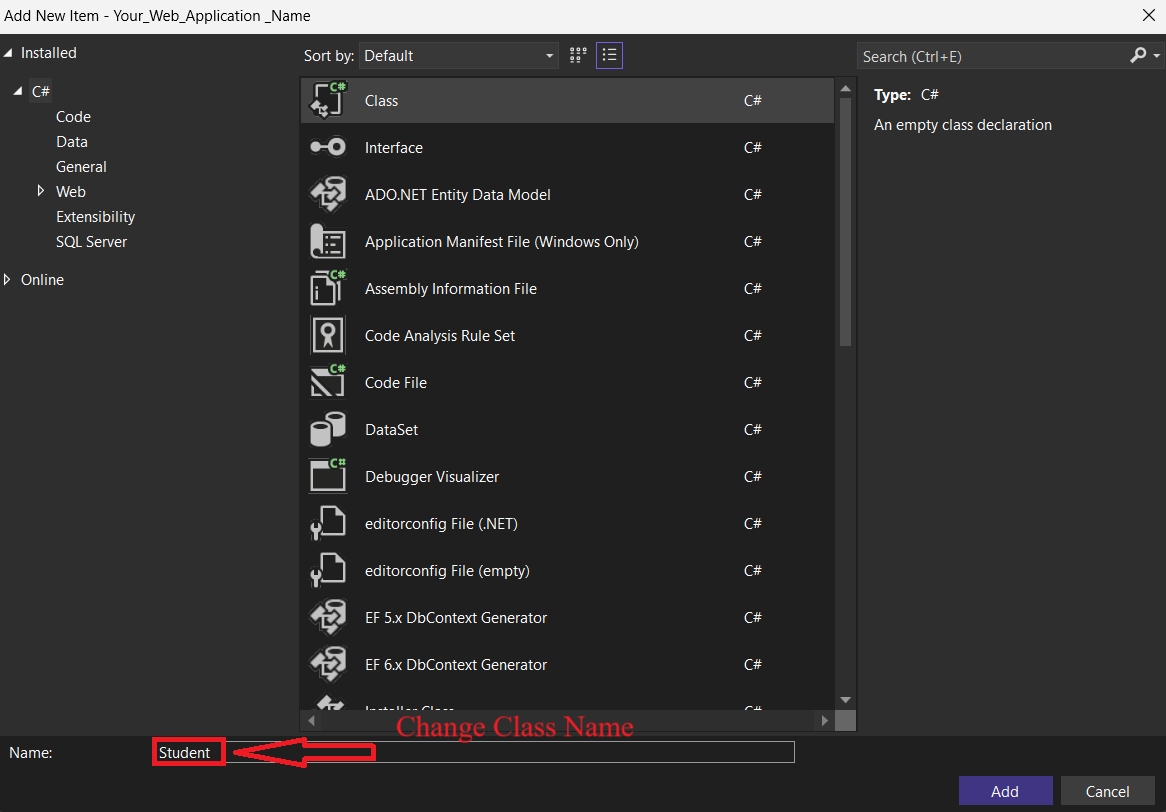
Class Created Successfully!
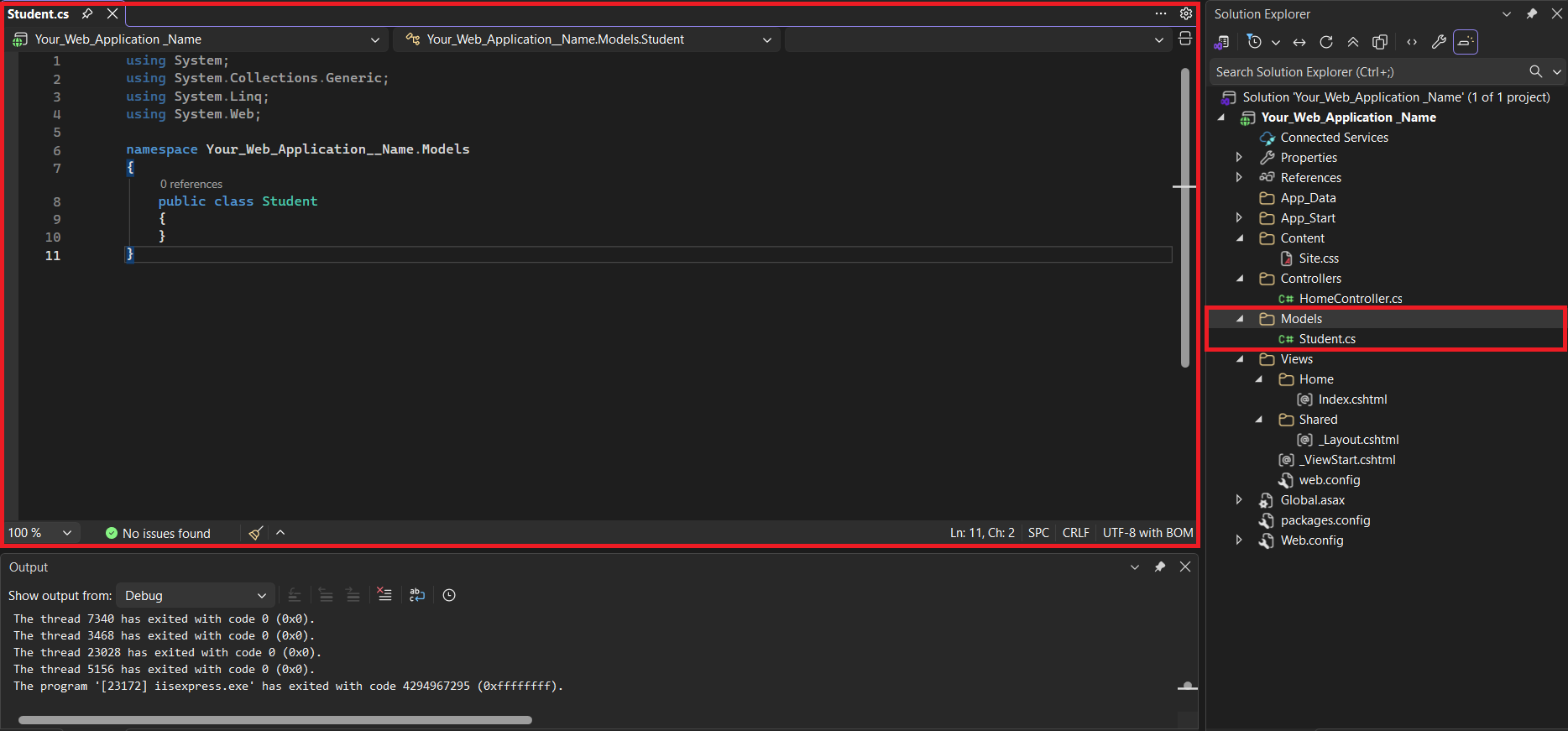
Auto-Generated Code Appears Automatically.
using System;
using System.Collections.Generic;
using System.Linq;
using System.Web;

namespace Your_WebApplication_Name.Models
{
    public class Student
    {
    }
}